Where Is Power Button On Acer Laptop: Quick Location Guide

The power button on most Acer laptops sits above the keyboard or along the laptop’s sides.
I’ve worked on many Acer machines and helped dozens of users find and use the power control. This guide explains where is power button on Acer laptop across models, how to spot it, how to use it safely, and what to do when it won’t respond. Read on for clear, tested steps and friendly tips that will save you time and frustration.



Common locations for the power button on Acer laptops
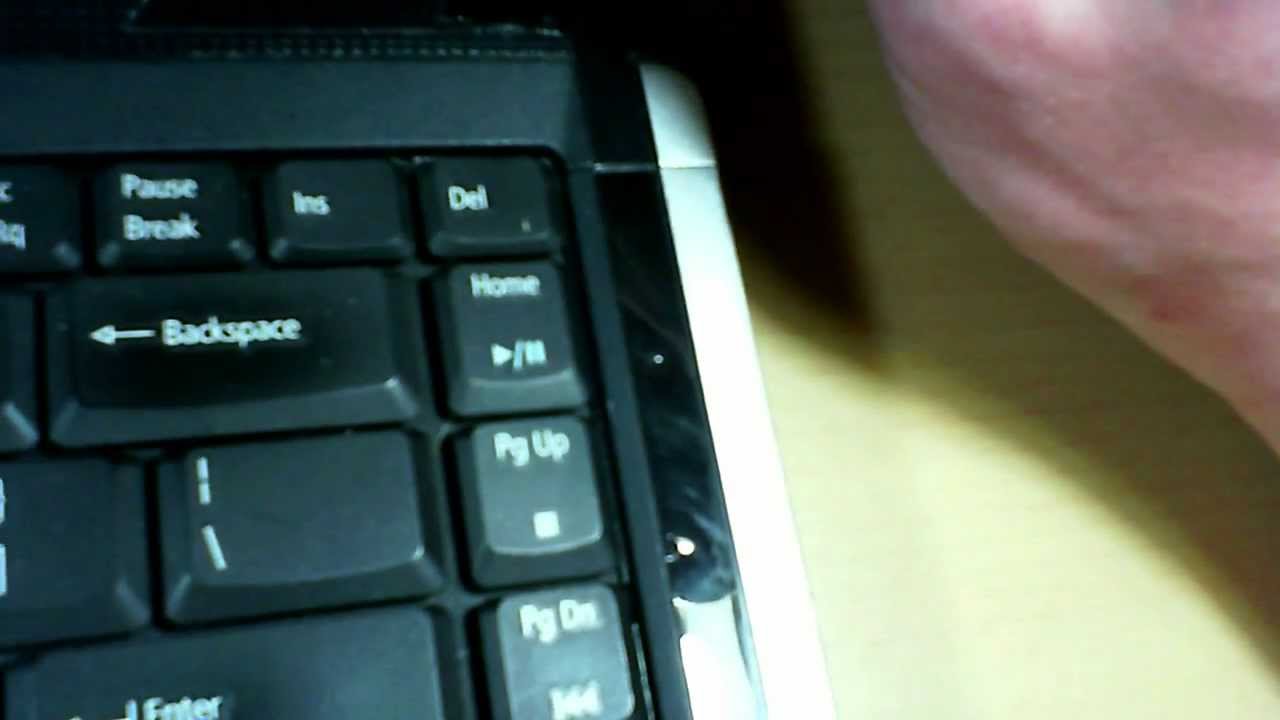
Acer places the power button in a few common spots. Many mainstream Acer laptops have the power button above the keyboard, usually near the top-right corner. Ultrabooks and thin models often put the power button on the right or left edge to save space. Some 2-in-1s and convertible Acer models integrate the power button on the keyboard deck or in the bezel near the hinge.
Knowing where is power button on Acer laptop helps you avoid poking at the wrong keys. Look for a small circular or pill-shaped key with a power icon. Newer models sometimes pair the power button with a fingerprint reader, so it can look like a small square or oval.

How to identify the power button visually and by feel
The power key uses a universal icon: a circle with a vertical line. It often has a tiny LED that glows when the laptop is on or charging. The key may sit flush with the case or be slightly raised for easy touch. If the power key doubles as a fingerprint sensor, it might have a shiny or textured surface.
If you can’t see the icon, run your finger along the top row above the keyboard and the edges. The power button usually has firmer feedback than the other keys. Remember to check the hinge area on foldable models. This helps when searching for where is power button on Acer laptop in dim light.




Where the power button is on popular Acer series
Aspire series often places the power button above the keyboard near the right side.
Swift and Spin ultrabooks frequently use a side-mounted power button to keep the top thin.
Predator and Nitro gaming models usually have a distinct power key above the keyboard or centered on the hinge area.
Chromebook models often have the button on the top-right of the keyboard or on an edge for quick access.
Checking your model name on the bottom sticker helps confirm where is power button on Acer laptop if the layout looks different.
 shutdown”
style=”max-width: 100%; height: auto; border: 2px solid black; border-radius: 10px; display: block; margin: 0 auto;”
loading=”lazy”
/>
How to turn on, turn off, sleep, and force shutdown
Turning on the laptop is usually one short press of the power key.
To put the laptop to sleep, press the power icon once and choose Sleep in your OS, or close the lid if settings allow.
To shut down, press the power button briefly to bring up the power menu, then select Shut down.
To force shutdown, hold the power button for about 10–15 seconds until the device powers off. This is useful when the system is frozen.
Use force shutdown sparingly. Repeated hard power-offs can risk data loss. These steps will help you understand where is power button on Acer laptop and how each action behaves.


Troubleshooting common power button issues
If pressing the power button does nothing, check that the charger is connected and the battery has some charge. Try a different power outlet and a known-good charger if available.
If the power light blinks but the screen stays black, try a hard reset by holding the power button for 15 seconds, then reconnecting the charger and pressing power again.
If the power button is stuck or physically damaged, avoid forcing it. Power down, unplug, remove any external power, and contact a repair service.
If you suspect firmware or driver issues, try accessing BIOS/UEFI or use a recovery USB. These steps cover many cases where people ask where is power button on Acer laptop but find the laptop still won’t start.
Safety and maintenance tips for the power button
Keep liquids away from the keyboard and edges to protect the power button.
Clean around the button gently with compressed air or a soft brush to avoid jams.
Avoid pressing the power button repeatedly and hard. A soft, deliberate press is enough.
If you often use the power button for sleep or wake, set power options in your OS to match your habits and reduce wear.
Regular maintenance keeps the power switch reliable and reduces surprises when you need to know where is power button on Acer laptop in a hurry.


Personal experience and practical tips
I once helped a friend who could not find the power key on an Acer Spin. The power button was tiny and on the right edge. A flashlight and a gentle feel along the edge found it in under a minute. I learned to check edges and hinge areas first.
My tip: make a quick photo of your laptop top and store it on your phone. It helps when you lend the laptop to someone or when you have to work in dim light.
Also, label the spot mentally as “top right” or “right edge” so you remember where is power button on Acer laptop later.
Small habits like these save time and lower stress when you need the laptop fast.

Frequently Asked Questions of where is power button on acer laptop
Where exactly is the power button on Acer Aspire laptops?
Most Acer Aspire laptops place the power button above the keyboard on the top-right area. Some Aspire ultrabooks may use an edge-mounted button instead.
How do I find the power button on an Acer Chromebook?


On many Acer Chromebooks the power button sits on the top-right of the keyboard or on a side edge. Check the right edge first on thin models.
My Acer laptop won’t turn on after pressing the power button. What should I do?
First, plug in the charger and check the charging light. If that does not help, hold the power button for 10–15 seconds to force a shutdown, then try to power on again.
Is the power button ever combined with other features on Acer laptops?

Yes. On some Acer models the power button also houses a fingerprint reader or is a multi-function key. It can look different from a standard round key.
Can a stuck power button be repaired at home?
If it is lightly stuck, cleaning around it with compressed air or a soft brush may help. For serious physical damage, seek professional repair to avoid further harm.
Conclusion
Finding and using the power button on an Acer laptop is usually quick once you know the common places to look. Check above the keyboard, the sides, or the hinge area, and learn whether your model uses a combined fingerprint and power key. Test basic power actions, keep the button clean, and use force shutdown only when needed.
Try the tips here on your own laptop and take a photo of the button location for future reference. If you found this helpful, leave a comment, subscribe for more guides, or share your own power-button story.


Similar Posts