What Is A 2 And 1 Laptop: Ultimate Guide For Buyers

A 2 and 1 laptop is a hybrid computer that works as both a laptop and a tablet.
I have worked with many devices over the years, tested dozens of thin-and-light machines, and helped buyers choose the right tool for work and play. If you want a clear, practical guide to what is a 2 and 1 laptop, this article breaks down how these hybrid devices work, their benefits, limits, and how to pick one that fits your life. Read on for simple explanations, real-world tips, and actionable buying advice.

What is a 2 and 1 laptop? Definition and how it works
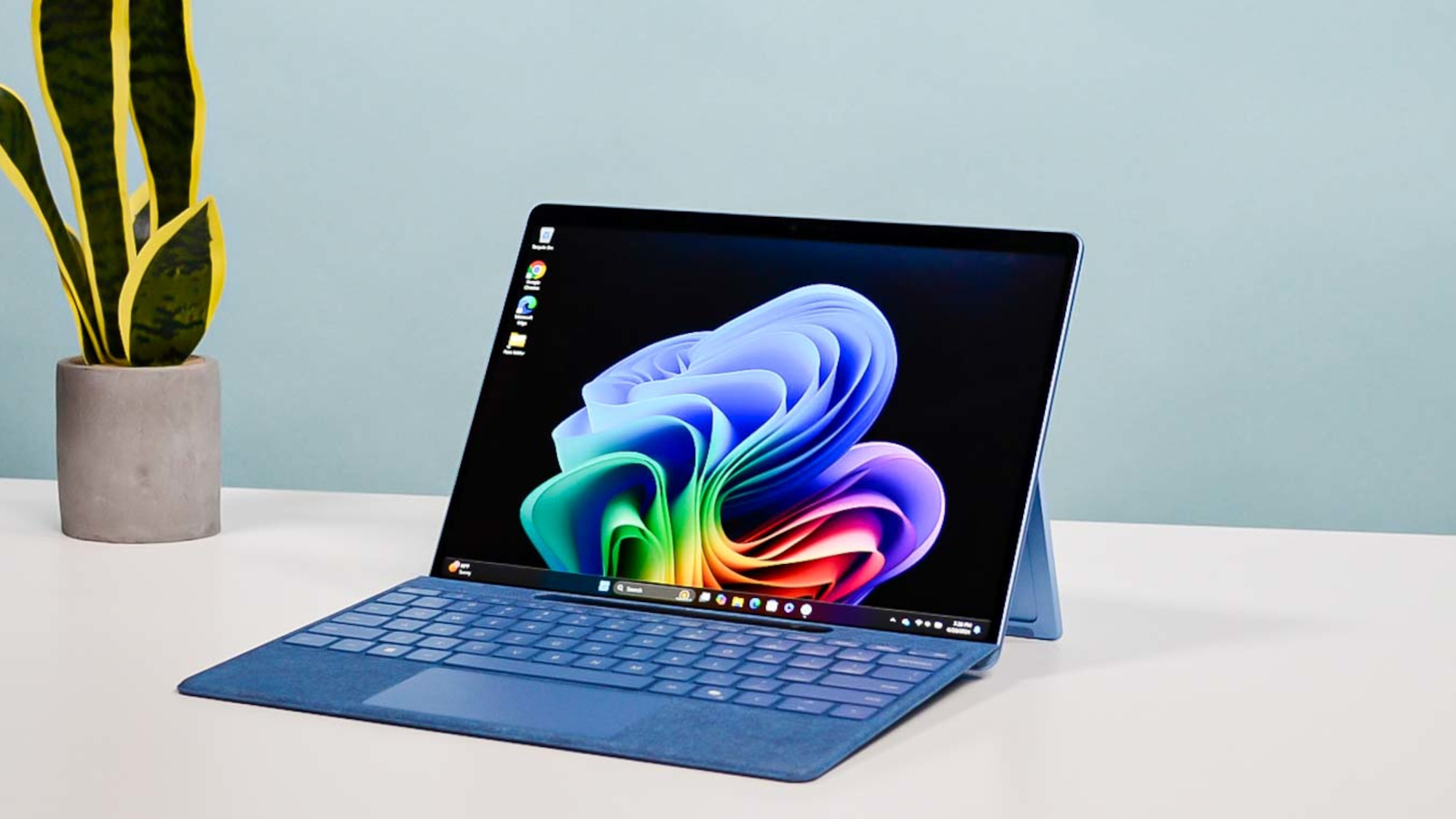
A 2 and 1 laptop is a single device that can switch between two main modes. It usually works as a traditional clamshell laptop and also as a tablet when you fold or remove the keyboard. Many 2 and 1 laptops use 360-degree hinges or detachable keyboards to change modes. The hardware and software both adapt so the touchscreen or stylus becomes primary in tablet mode.
Main types of 2 and 1 laptops
There are two common forms of 2 and 1 laptops.
- Convertible (360-degree hinge) — The screen folds back to use the device as a tablet or in tent mode for presentations.
- Detachable (keyboard separates) — The keyboard detaches completely so you have a standalone tablet.
Each type has trade-offs. Convertibles keep the keyboard attached, so they feel sturdier for typing. Detachables usually weigh less in tablet mode and can offer better tablet ergonomics.

Key features to expect
Most 2 and 1 laptops share a set of common features.
- Touchscreen support — Enables finger touch and stylus input.
- Flexible hinge or magnetic connectors — Lets you switch modes fast.
- Lightweight chassis — Designed for mobility in both modes.
- Battery tuned for mixed use — Balances tablet and laptop power needs.
Manufacturers tune these parts to give you a smooth switch from laptop to tablet. Expect compromises on raw power for the convenience of two modes.

Benefits of owning a 2 and 1 laptop
A 2 and 1 laptop offers clear advanshoukhintech01-20es for many users.
- Versatility — Use one device for typing, drawing, or reading.
- Portability — You carry one light device instead of a laptop and a tablet.
- Touch and pen input — Great for note-taking, sketching, and annotations.
- Space savings — Good for small desks, travel, and casual work.
For students, creatives, and frequent travelers, a 2 and 1 laptop can replace two devices and simplify daily tech.

Limitations and trade-offs
No device is perfect. Here are common limits with 2 and 1 laptops.
- Performance ceiling — Many are not as powerful as high-end clamshell laptops.
- Thermal constraints — Thin designs can throttle CPU under heavy load.
- Keyboard feel — Detachable keyboards may be less comfortable for long typing sessions.
- Price premium — You often pay more for the hybrid design and hinge engineering.
Understanding these trade-offs helps you pick a 2 and 1 laptop that matches your real needs.

Real-world use cases and examples
Think about how you will use the device. Here are typical scenarios where a 2 and 1 laptop shines.
- Student note-taking — Flip to tablet mode for handwritten notes in class.
- Creative sketching — Use a stylus for drawing or mockups.
- Presentations — Tent mode works well for small group demos.
- Travel and media — Tablet mode is great for movies and light browsing.
If your work mixes touch tasks and typing, a 2 and 1 laptop often improves workflow and reduces device clutter.

How to choose the right 2 and 1 laptop
Follow a step-by-step approach when choosing.
- Define your main use — Prioritize performance, battery, or pen support.
- Pick the form factor — Choose convertible for stable typing or detachable for tablet comfort.
- Check pen support — Look for active stylus with pressure sensitivity if you draw.
- Test the keyboard — Try typing to ensure comfort and key travel.
- Inspect ports and battery life — Ensure it meets travel or docking needs.
I advise testing the hinge and keyboard in a store. Small details like hinge stiffness matter a lot in daily use.

Performance and specs to watch
Key specs matter differently on a 2 and 1 laptop than on a standard laptop.
- Processor — Choose a CPU that matches tasks; ultrabooks use efficient chips.
- RAM — 8GB is entry-level; 16GB is safer for multitasking.
- Storage — SSDs give fast boot and app load times; prefer NVMe where possible.
- Display — Look for 1080p or higher and good color if you draw.
- Battery life — Test in both laptop and tablet usage patterns.
Be realistic: thin 2 and 1 laptops can feel warm under heavy loads. If you need video editing or large simulations, a full laptop may be better.

Personal experience, tips, and mistakes to avoid
I have used several 2 and 1 laptops for work and travel. My main lessons:
- Buy a model with a good pen design — Cheap pens hurt the drawing experience.
- Prioritize hinge quality — A flimsy hinge shortens the device's usable life.
- Test typing comfort before buying — Some detachable keyboards feel cramped.
- Use a protective sleeve — Tablet mode exposes the screen more during travel.
One mistake I made was picking a model for its looks over typing feel. I switched later because I typed for hours each day. Learning from that, I now test devices for the tasks I do most.
People also ask
Can a 2 and 1 laptop run regular laptop software?
Yes. A 2 and 1 laptop runs the same operating system and apps as a regular laptop, so you can use full desktop software. Performance depends on the device's CPU and RAM.
Is a 2 and 1 laptop good for drawing?
Many 2 and 1 laptops are excellent for drawing if they support an active stylus with pressure sensitivity. Choose a model with low pen latency and good color accuracy.
Are 2 and 1 laptops durable?
Durability varies by build quality. High-end models use stronger hinges and materials, while cheaper ones may wear faster. Inspect hinge design and reviews before buying.
Frequently Asked Questions of what is a 2 and 1 laptop
H3: What is a 2 and 1 laptop best used for?
A 2 and 1 laptop is best for mixed tasks like note-taking, light creative work, browsing, and presentations. It suits people who want both a laptop and a tablet in one device.
H3: How does a 2 and 1 laptop differ from a tablet with a keyboard?
A 2 and 1 laptop often runs full desktop operating systems and has hardware tuned for both modes. Tablets with keyboard cases may run mobile OS versions and offer different app ecosystems.
H3: Do 2 and 1 laptops have good battery life?
Battery life varies by model and use. Many deliver all-day battery for light tasks, but heavy use with drawing or video editing will drain batteries faster.
H3: Is pen support standard on all 2 and 1 laptops?
No. Some models include active pen support, while others use basic touch only. Check specs for active stylus compatibility and pressure sensitivity.
H3: Are 2 and 1 laptops more expensive than regular laptops?
They can be pricier because of hinge engineering and touchscreen components. However, midrange options offer good value depending on features.
H3: Can I upgrade parts in a 2 and 1 laptop?
Upgradability is limited in many thin 2 and 1 laptops. RAM is often soldered, but some models allow SSD upgrades. Check service docs before purchasing.
Conclusion
A 2 and 1 laptop blends the convenience of a tablet with the productivity of a laptop. It shines when you need flexibility, touch input, and a compact setup. Choose based on the tasks you do most, test keyboard and hinge quality, and prioritize pen and display features if you draw. Try one in person, compare specs, and pick the model that fits your daily routine. If you found this guide helpful, leave a comment, share your experience, or subscribe for more device buying tips.
Similar Posts





