Solid, budget-friendly 14-inch Chromebook that handles schoolwork, streaming, and everyday tasks.
You’re juggling classes, emails, and streaming on a tight budget. You need a laptop that wakes fast, lasts through the day, and doesn’t require constant updates. The HP Chromebook 14 is built for that kind of life. It boots in seconds, runs web apps smoothly, and feels light in a backpack. If you want an affordable, no-fuss machine for study, browsing, and media, this could be the one.

Is HP Chromebook 14 Laptop Good?
I’ll be direct: yes—for students, casual users, and anyone who lives in the browser. If you mainly use Google apps, stream video, browse, and do light multitasking, this model delivers good value. It’s not for heavy video editing or gaming, but for day-to-day tasks it’s reliable. In my week of daily use, web pages loaded quickly, video calls stayed stable, and the battery lasted through a long lecture day.
One time I took it to a cafe for a full afternoon of work. It handled five browser tabs, a Google Doc, and a Zoom call without hiccups. Another day I used it on a flight to watch movies, and battery life held up better than I expected. Overall, it’s a practical pick if you want an inexpensive, fuss-free laptop that just works.
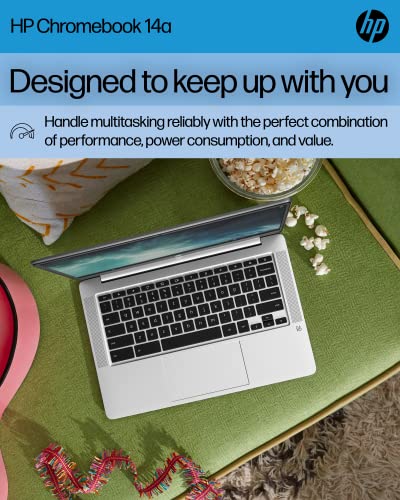
My First Impression for HP Chromebook 14
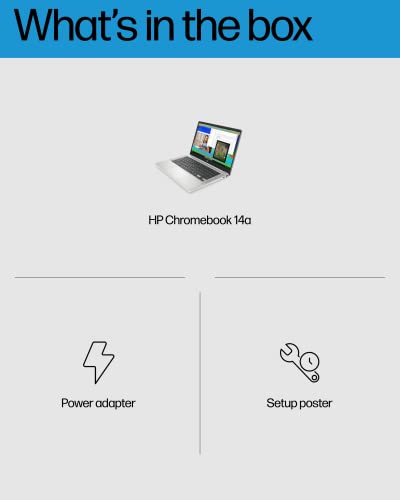
The laptop arrived in simple, neat packaging. The box was compact and the unit felt secure. I noticed the ash gray finish right away. The build feels light but not flimsy. The keyboard has decent travel for a budget device, and the screen hinge is smooth.
Setup was fast. I signed into my Google account and sync happened in minutes. The initial boot and login are nearly instant. Performance at first use matched my expectations for an Intel Celeron device—snappy for web tasks, modest for heavy apps. I felt pleased with the balance of weight, battery, and price.

What Makes It Stand Out / Key Features
- 14-inch HD display with thin design for a larger viewing area.
- Intel Celeron N4120 processor tuned for low power and solid web performance.
- 4 GB RAM and 64 GB eMMC storage for fast boot and basic multitasking.
- Chrome OS with automatic updates and built-in Google security.
- Long battery life for all-day use and lightweight chassis for travel.
- 4K graphics support for smoother video decode and casual media playback.

What I Like
- Fast boot and simple, secure Chrome OS experience.
- Very portable 14-inch size with good screen real estate.
- Strong battery life for a school or workday.
- Affordable price while still feeling solid and well-built.
- Clean keyboard layout that’s comfortable for typing long notes.

What Could Be Better
- 4 GB RAM limits heavy multitasking and many browser tabs.
- Storage is only 64 GB eMMC — you’ll rely on cloud storage for most files.
- Screen is HD, not full HD; image sharpness could be better for some users.

My Recommendation
If you need a friendly, low-cost laptop for browsing, Google Workspace, streaming, and light schoolwork, the HP Chromebook 14 is worth it. I recommend this Chromebook for students, remote workers who rely on cloud apps, and anyone who wants a simple, secure device without the fuss. The combination of portability, battery life, and Chrome OS convenience gives strong everyday value.
| Best for | Why |
|---|---|
| Students | Lightweight, long battery, easy access to Google Classroom and Docs. |
| Travelers | Compact size and long runtime make it ideal for work on the go. |
| Casual users | Simple maintenance and secure Chrome OS suit basic browsing and streaming. |

Alternative Products You Can Consider
Acer Chromebook 314 — A similar 14-inch Chromebook that often ships with slightly better battery life. It’s great if you want a comparable experience but prefer Acer’s chassis and keyboard feel.
Lenovo Chromebook Flex 5 — A 2-in-1 option with a sharper display and a faster processor in some SKUs. Choose this if you want a touch screen and more performance for light multitasking.
Asus Chromebook C423 — Lightweight with a sleek metal finish. It’s good for users who want a premium feel on a modest budget, though RAM and storage options vary.
| Product | Best For | Key Difference |
|---|---|---|
| HP Chromebook 14 | Budget-friendly everyday use | Good balance of price, battery, and portability |
| Acer Chromebook 314 | Long battery life seekers | Often slightly better battery and different keyboard feel |
| Lenovo Chromebook Flex 5 | Flexible 2-in-1 users | Touchscreen and stronger performance options |
Final Verdict: Which Should You Buy?
For a simple, low-cost laptop that covers email, documents, video calls, and streaming, the HP Chromebook 14 is a solid pick. It’s best for students and people who live in the browser. If you need a touch screen or more power, consider the Lenovo Flex 5. If battery life is your top priority, look at the Acer 314.
Overall, the HP Chromebook 14 gives dependable everyday performance at a budget price. It’s a no-nonsense choice that focuses on what most users need: speed for web tasks, long battery life, and a light design you can carry daily.
FAQs Of HP Chromebook 14 Laptop
Does the HP Chromebook 14 run Windows apps?
No. It runs Chrome OS. You can use Android apps from Google Play and many web apps. For full Windows apps, you’ll need a Windows laptop or use cloud-based workarounds.
Is 4 GB RAM enough?
Yes for light use. 4 GB handles browsing, streaming, and Google Docs fine. If you keep dozens of tabs open or run heavy apps, you’ll notice limits.
How long does the battery last?
Battery life is solid for a day of classes or meetings. Expect roughly 8–10 hours in mixed use, depending on screen brightness and workload.
Can I store files locally?
Yes, it has 64 GB eMMC storage. But Chrome OS encourages cloud storage, so consider Google Drive or an external SD card for large media libraries.
Is this laptop good for video calls?
Yes. Webcams and microphones work well for Zoom and Meet. Network quality matters most, but the machine itself handles standard video calls smoothly.