The world of AI video generation is changing fast. Tools like Litvideo, Runway, and Sora are leading this revolution, making it easier for anyone to create high-quality videos from text, images, or even just a few ideas. But with so many options, choosing the right platform can be confusing. Each tool promises speed, creativity, and advanced features. Yet, their pricing, performance, and user experience are very different.
If you want to turn your words or pictures into engaging videos—whether for business, social media, education, or fun—understanding these differences is essential. In this in-depth comparison, you’ll discover how Litvideo, Runway, and Sora stack up. You’ll learn about their pricing, capabilities, supported models, special features, and what makes each tool unique. By the end, you’ll have a clear idea which platform fits your needs best—whether you’re a solo creator, a small business, or part of a large team.
What Is Ai Video Generation?
AI video generators use artificial intelligence to turn text, images, or other media into video content. Instead of needing a camera, actors, or editing software, you simply enter a prompt or upload an image. The AI analyzes your input and creates a video, often in just minutes. These tools have grown popular for content creators, marketers, educators, and anyone who wants to make professional videos quickly.
The core benefits include:
- Speed: Videos are ready in minutes, not hours or days.
- Cost savings: No need to hire actors or film crews.
- Creativity: AI can generate styles and effects that would be hard for humans to create.
- Accessibility: Anyone can make videos, even with no technical skills.
But each platform has its own approach, strengths, and limitations.
Overview Of Litvideo, Runway, And Sora
Before diving into the details, it helps to know what each platform offers at a glance.
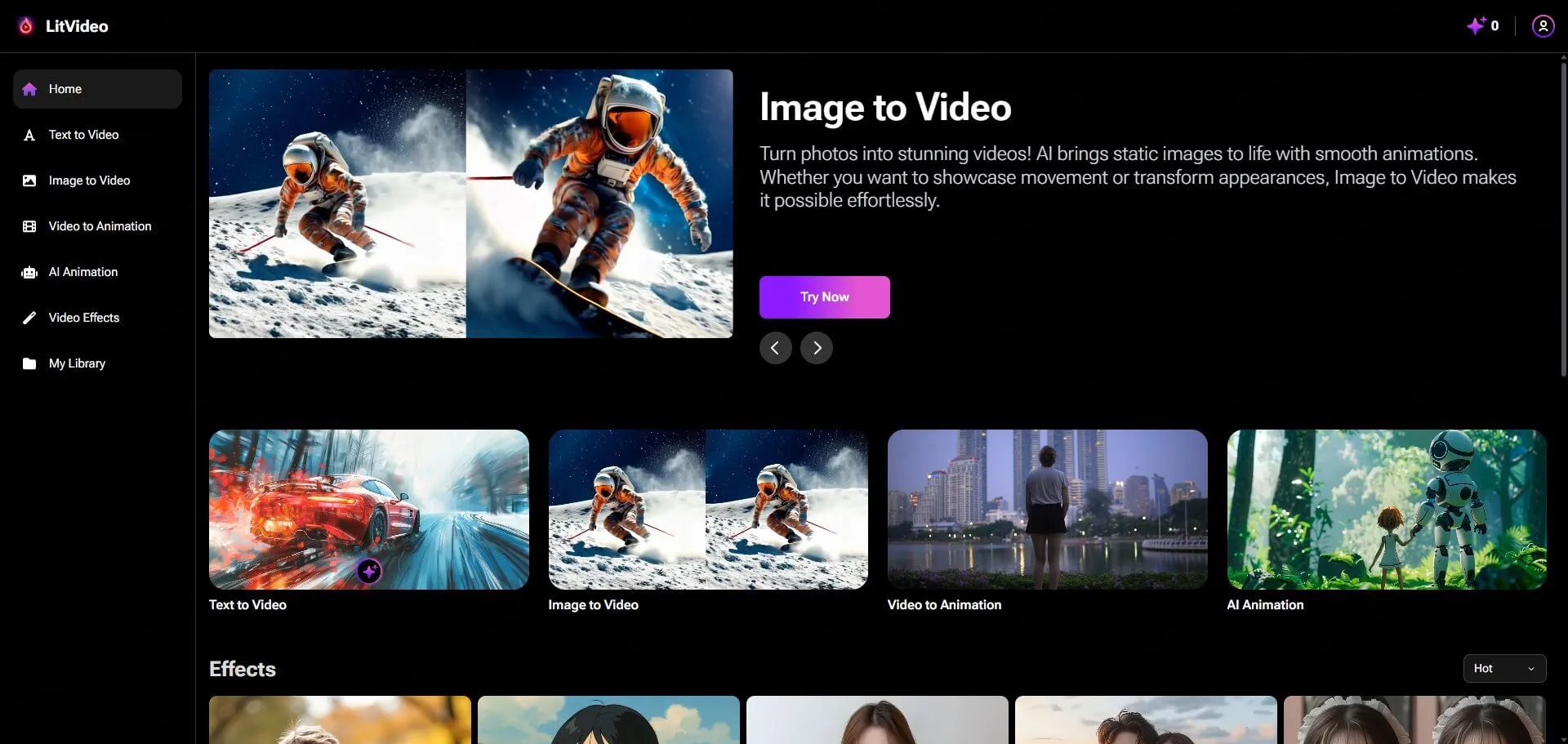
Litvideo is an all-in-one AI video and image generator. It supports many popular AI models, offers unlimited generation, and has a simple one-time payment.
Runway is a well-known platform focusing on creative video editing and generative AI. It’s popular among professionals and teams for its advanced features.
Sora is OpenAI’s powerful text-to-video model. It’s known for high-quality, realistic video generation and is shaping the future of AI video.
Each tool targets a different audience and use case. Let’s break down their features, pricing, and what sets them apart.

Credit: www.hitpaw.com
Pricing And Payment Models
Price is often the first question for anyone picking an AI tool. Here’s how these platforms compare:
| Platform | Payment Type | Price (as of 2024) | Free Trial |
|---|---|---|---|
| Litvideo | One-time payment | $399.99 (25% off with code: Shoukhin25) | Varies (first month perks) |
| Runway | Subscription | From $12/month to $76/month (Pro) | Yes (limited) |
| Sora | Not public (as of June 2024) | Beta/Invite only | No |
Litvideo Pricing Details
- One-time cost: $399.99 (you can get 25% off using coupon code: Shoukhin25)
- No recurring fees: Pay once, use forever.
- First month bonus: Up to 357 Seedance 2.0 videos.
- Unlimited credits in total (with 6000 credits/month regular cap).
This pricing is unique. Most platforms use a monthly or yearly subscription, but Litvideo’s one-time payment is ideal if you want to avoid ongoing costs.
Runway Pricing Details
- Subscription-based: Monthly billing, cancel anytime.
- Plans: Basic ($12/mo), Standard ($28/mo), Pro ($76/mo), Enterprise (custom pricing).
- Credit system: Each video costs credits; higher plans get more.
- Free trial: Limited access for new users.
Runway’s flexible plans suit both beginners and professionals, but costs can add up for heavy users.
Sora Pricing Details
- Currently not public: Sora is in beta/invite-only mode.
- No published pricing: Expected to be available to select users and partners first.
- Likely to use pay-per-use or subscription in the future.
If you want immediate access, Sora is not an option yet for most people.
Key insight: Many beginners miss that Litvideo’s one-time fee can be much cheaper over time, especially for frequent users, while Runway’s monthly costs may be better for short-term needs or low-volume users.
Supported Ai Models And Capabilities
The heart of any AI video generator is the models it uses. More models mean more styles, effects, and possibilities.
| Platform | Supported Video Models | Supported Image Models | Other Media |
|---|---|---|---|
| Litvideo | Sora, Veo, Wan, MiniMax Hailuo, Vidu, Kling, LitAI, Seedance, LoveAI | Nano Banana, Flux | Music (litmusic), Animation |
| Runway | Gen-2, Gen-1, StyleGAN, Stable Diffusion | Stable Diffusion, ControlNet | Audio editing, green screen |
| Sora | Sora (proprietary) | shoukhintech01-20 | — |
Litvideo’s Model Library
Litvideo stands out for its huge model selection. You get access to:
- Sora: OpenAI’s advanced text-to-video engine.
- Veo: Known for cinematic effects.
- Wan, MiniMax Hailuo, Vidu, Kling, LitAI, Seedance, LoveAI: Each model brings unique video styles, speeds, and features.
- Image models: Generate images with Nano Banana and Flux.
- Music and animation: Create audio and animated content.
This all-in-one approach means you can generate almost any type of AI content with a single tool.
Runway’s Model Library
Runway offers fewer models but focuses on quality and editing:
- Gen-2 and Gen-1: For video generation and transformation.
- StyleGAN, Stable Diffusion: For creative image and video effects.
- Audio and green screen tools: For advanced post-production.
Runway is strong in video editing and creative effects, not just text-to-video.
Sora’s Model
Sora uses its own AI, designed for realistic, high-quality video from text prompts. While you can’t choose other models, the results are often more lifelike and cinematic than competitors.
Non-obvious insight: Beginners often overlook that Litvideo lets you use Sora and Veo without waiting for invites or separate subscriptions, making these advanced models much more accessible.
Credit: www.litmedia.ai
Key Features And Tools
Let’s look at what you can actually do with each platform.
Litvideo Features
- Text to Video: Turn any prompt into a video.
- Image to Video: Animate your images.
- Extend Video: Make videos longer by adding new scenes.
- Video Effects: 300+ AI effect templates.
- Image Generation: Create images from text.
- Image Effects: Add styles, filters, and transformations.
- AI Music Generation: 300 songs per month (litmusic).
- AI Animation: Create short animations automatically.
- No watermarks: All videos and images are watermark-free.
- 24/7 customer service: One-on-one support.
- Private custom templates: Three per month, for your unique needs.
- Fast generation: Improved speed for all media types.
Runway Features
- Text to Video: Advanced prompt-based video creation.
- Video Editing: Cut, trim, and edit videos easily.
- Green Screen: Remove backgrounds instantly.
- Motion Tracking: Add effects that follow people or objects.
- Audio Editing: Basic audio tools for video projects.
- Image Generation: Creative image tools using AI.
- Collaboration: Share projects with teams.
Sora Features
- Text to Video: Extremely realistic, high-resolution videos from prompts.
- Rich scenes: Handles complex descriptions, multiple objects, and actions.
- Physics understanding: Characters and objects move naturally.
- Style variety: Can match different visual styles from a single prompt.
Pro tip: If you want not just video, but also images, music, and special effects, Litvideo is the only one that gives you the full package in one place.
Quality Of Output
The main goal is getting videos that look good and fit your needs. Here’s how the platforms compare:
Litvideo Output Quality
Litvideo’s output depends on the chosen model. With Sora, Veo, and Seedance, you can get:
- HD videos (resolution up to 1080p or higher)
- Smooth animation
- Accurate prompt interpretation
- Diverse styles: From realistic to cartoon, anime, or cinematic
Litvideo’s flexibility means you can always pick the best model for your project. The lack of watermarks is a big plus for professional use.
Runway Output Quality
Runway’s videos are:
- Creative and artistic: Ideal for ads, short films, and social media.
- Consistent styles: Especially strong with Gen-2 and StyleGAN.
- Editing precision: Lets you fine-tune results with powerful editing tools.
But, some users report that realism and motion can be less advanced than Sora or latest models.
Sora Output Quality
Sora is considered state-of-the-art for:
- Ultra-realistic scenes: Looks almost like real video fooshoukhintech01-20e.
- Complex actions: Multiple characters, moving objects, changing settings.
- Detailed environments: Natural lighting, textures, and smooth transitions.
However, as Sora is invite-only, not everyone can access this quality directly.
Little-known fact: Many beginners think all AI video results are “cartoony” or simple, but with the right models (like Sora or Veo via Litvideo), you can achieve near-cinematic realism.
Ease Of Use And User Experience
How easy is it to get started and make your first video?
Litvideo User Experience
- Simple dashboard: Clean interface, easy for beginners.
- Prompt-based: Just type or paste your idea, choose a model, and hit generate.
- Template library: 300+ special effect templates for fast results.
- One-click downloads: Save videos and images instantly.
- No advanced settings required: But experts can fine-tune if needed.
Runway User Experience
- Creative workspace: More like an editing suite.
- Drag-and-drop: Add media, move scenes, stack effects.
- Learning curve: May be higher for beginners, but powerful for pros.
- Team features: Good for groups or agencies.
Sora User Experience
- Prompt only: No extra features, just type your idea and wait.
- No editing: Can’t tweak videos after generation (yet).
- Not public: Most users can’t access directly.
Expert tip: If you want to get started today with little learning, Litvideo is the easiest, followed by Runway.
Speed And Performance
How Fast Can You Go From Idea To Finished Video?
Litvideo Performance
- Fast generation: Most videos ready in a few minutes.
- No watermarks, no waiting list: Even for advanced models.
- 6000 credits/month: More than enough for most users.
Runway Performance
- Quick results: Simple videos generate in 1-2 minutes.
- Editing can slow down: Advanced edits may take longer to render.
- Credit limits: Heavy use may require more credits or higher plan.
Sora Performance
- Impressive speed: For such high quality, videos generate in minutes.
- Limited access: You may wait for invite or approval.
Common mistake: Some users think more credits mean faster videos, but with Litvideo, you get both speed and high monthly limits—something most platforms can’t match.

Credit: www.litmedia.ai
Community, Support, And Updates
Ongoing support and improvements matter, especially for business users.
Litvideo Community & Support
- 24/7 dedicated support: Live chat and one-on-one help.
- Growing user base: Active forums and user groups.
- Regular updates: New models and features added often.
Runway Community & Support
- Active online community: Tutorials, forums, and user guides.
- Email and chat support: Response times vary by plan.
- Frequent updates: New models and improvements released regularly.
Sora Community & Support
- Developer-focused: Support is limited due to invite-only status.
- Documentation: For those with access, guides are available.
Overlooked benefit: Litvideo’s one-on-one support can help beginners fix problems fast, while most platforms only offer standard help.
Watermarks, Licensing, And Commercial Use
If you’re creating videos for business or public sharing, these details matter.
Litvideo Licensing
- No watermarks: All outputs are clean.
- Full commercial rights: Use videos for ads, YouTube, client work, etc.
- Unlimited use: No hidden restrictions after purchase.
Runway Licensing
- No watermarks (on paid plans).
- Commercial use allowed: But check plan details for usage limits.
- Free plan: May add watermarks or limit rights.
Sora Licensing
- Not fully clear: As Sora is not public, commercial terms are not announced.
Insider advice: Beginners often miss license details, which can lead to problems when using videos for business. Always check for watermarks and commercial rights before publishing.
Unique Advanshoukhintech01-20es And Weaknesses
Each tool has its strengths—and drawbacks.
Litvideo Advanshoukhintech01-20es
- All-in-one platform: Video, image, music, animation.
- Best value: One-time payment, unlimited generation.
- Access to top models: Use Sora, Veo, and more without waiting.
- Beginner-friendly: Simple interface, fast results.
Litvideo Weaknesses
- Upfront cost: $399.99 may be high for casual users.
- First month video cap: 357 Seedance 2.0 videos (then 6000 credits/mo).
- Some advanced settings may be limited compared to pro editing suites.
Runway Advanshoukhintech01-20es
- Advanced editing tools: For professionals and teams.
- Flexible plans: Pay as you go.
- Strong community: Lots of guides, tutorials, and user support.
Runway Weaknesses
- Ongoing monthly costs: Can add up for frequent use.
- Credit limits: May restrict heavy users.
- Fewer models: Less variety than Litvideo.
Sora Advanshoukhintech01-20es
- Best quality videos: Most realistic, cinematic results.
- Handles complex prompts: Multiple actions, detailed scenes.
Sora Weaknesses
- Not available to public: Invite-only, no pricing.
- No editing tools: Only generates video from prompt.
Practical Use Cases
Here’s where each tool shines:
- Social media marketing: Litvideo and Runway both create eye-catching short videos fast.
- Business ads: Litvideo’s Sora and Veo models help make professional, realistic commercials.
- Education and tutorials: Litvideo’s easy templates and image-to-video features are ideal for teachers.
- Creative projects: Runway’s editing and green screen tools are best for filmmakers and artists.
- AI research: Sora is for those who want to test the very latest in AI video.
Pro insight: If you need multiple types of media (video, image, music), Litvideo is the only one that covers all bases in one subscription.
Real-world Examples
- A YouTube creator uses Litvideo to make 10 videos a week, mixing styles from Sora and Seedance, all without watermarks.
- A marketing agency uses Runway to quickly produce creative ads for clients, then edits them further.
- A film student gets access to Sora for a research project, generating ultra-realistic fooshoukhintech01-20e for a short film.
Each of these users picks the tool that fits their workflow, budget, and technical skills.
Which Platform Is Right For You?
Still not sure? Here’s a summary to guide your decision:
- Choose Litvideo if you want unlimited video, image, and music generation, need access to the latest AI models (including Sora), prefer a one-time payment, and want beginner-friendly tools.
- Choose Runway if you need advanced video editing, want to collaborate with a team, are fine with a monthly fee, and focus on creative content.
- Choose Sora if you can get access and want the highest possible video quality, but don’t need editing features or extra media types.
Final advice: Beginners often focus too much on price or one feature. Think about your long-term needs, how often you’ll use the tool, and whether you need just video—or also images, music, and effects.
For more on AI video generation, visit the official Litmedia site.
Frequently Asked Questions
What Is The Main Difference Between Litvideo, Runway, And Sora?
Litvideo is an all-in-one AI content platform with a one-time fee, unlimited generation, and access to many models (including Sora and Veo). Runway focuses on video editing, team tools, and creative effects with a monthly subscription. Sora is OpenAI’s advanced text-to-video tool, known for ultra-realistic results, but is invite-only and not yet public.
Can I Use Litvideo For Commercial Projects?
Yes, Litvideo allows full commercial use. Videos, images, and music generated can be used for business ads, YouTube, client work, or any public sharing. No watermarks are added, so your content looks professional.
Is Sora Available For Everyone?
No, as of June 2024, Sora is in beta and only available to invited users and selected partners. You can access Sora’s results through platforms like Litvideo, but direct access is limited.
How Does Litvideo’s One-time Payment Compare To Runway’s Subscription?
Litvideo’s one-time payment of $399. 99 (25% off with Shoukhin25) gives you unlimited content creation and access to all features. Runway charges monthly ($12–$76), which can be more expensive over time, especially for frequent users. Litvideo is better for heavy or long-term use.
What Types Of Videos Can I Create With These Platforms?
You can create explainer videos, ads, social media clips, educational tutorials, music videos, and even animated stories. Litvideo offers the widest range, including realistic, cartoon, cinematic, and special effects, thanks to its many supported models.
AI video generation is moving fast, and your choice of tool can have a big impact on your creativity and workflow. By understanding what each platform offers, you can make smarter, more confident decisions for your projects.