Laptop size is measured by the screen diagonal in inches, not by the outer case.
I’ve measured dozens of laptops and advised buyers for years, so I know how is a laptop size measured and why it matters. Read on to get clear, practical guidance on screen diagonal rules, chassis dimensions, common marketing tricks, and step-by-step ways to measure your own machine.

What does "laptop size" mean?
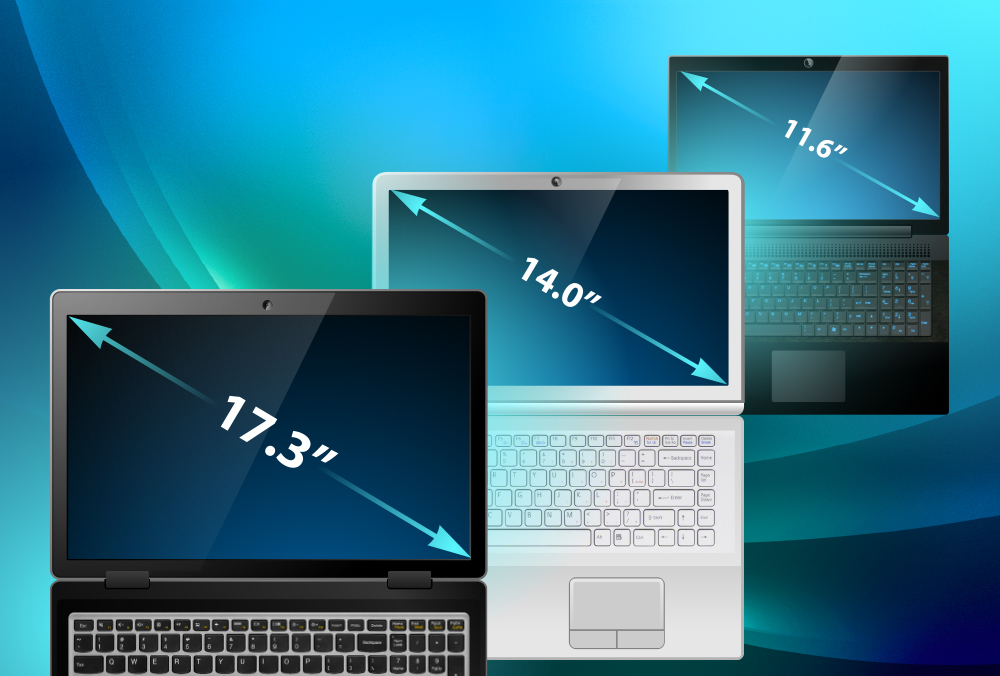
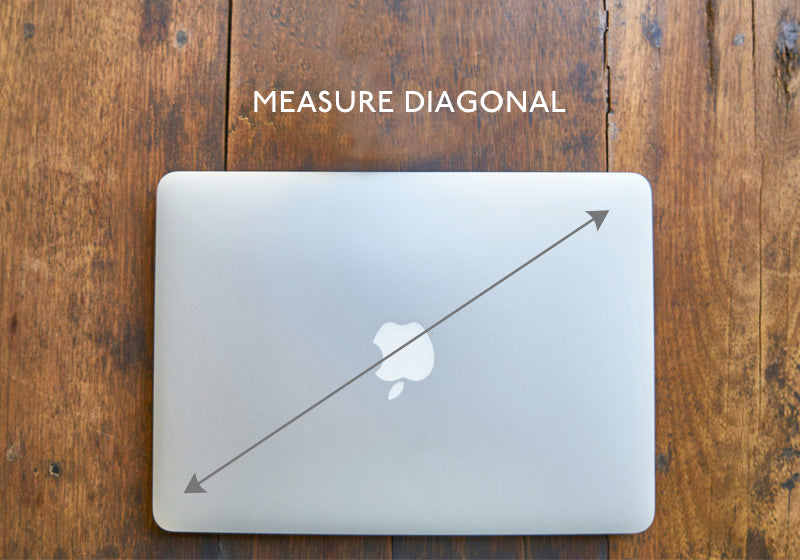
Laptop size usually points to the screen diagonal. That is the distance from one visible corner of the display to the opposite visible corner. This number is in inches and is the main metric manufacturers use.
Laptop size can also mean physical case size. Case size covers width, depth, and thickness. Buyers often mix screen size and case size, so learn both to pick the right model.

How screen size is measured (step-by-step)
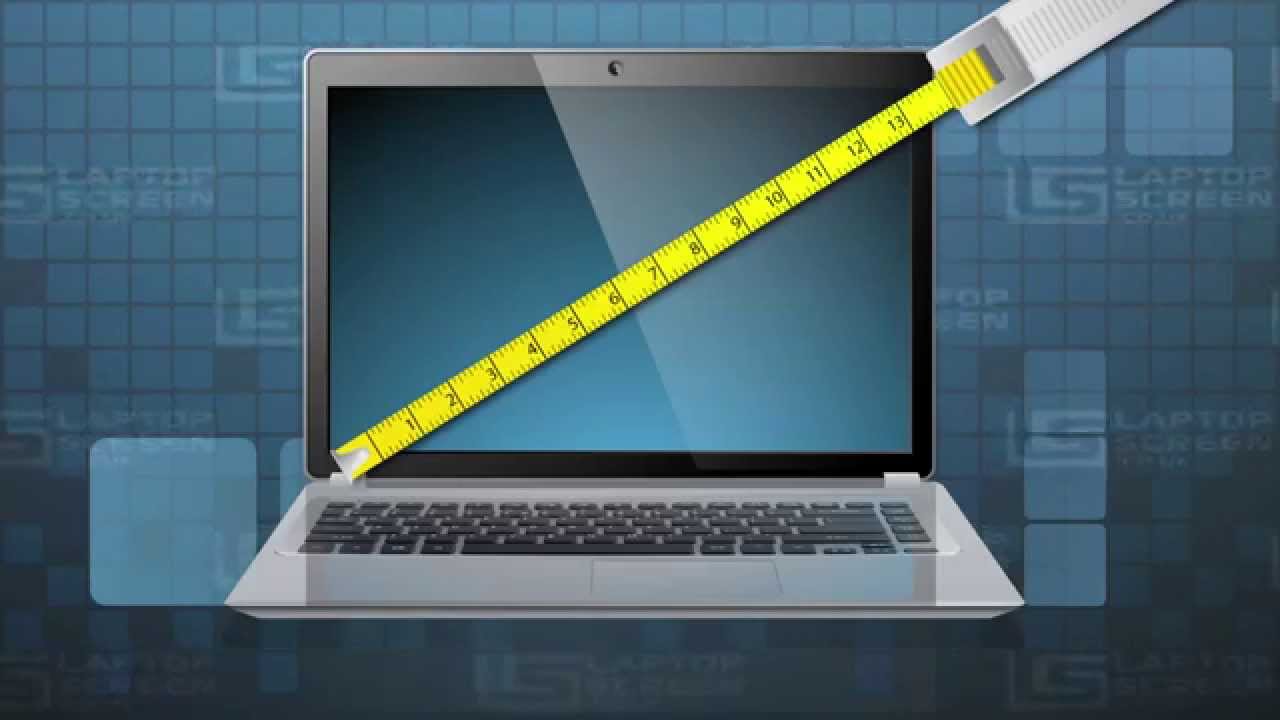
The standard answer to how is a laptop size measured is simple: measure the active display diagonally. Follow these steps:
- Turn the laptop on so the screen is fully visible.
- Measure from the top-left visible pixel to the bottom-right visible pixel.
- Record the measure in inches (or convert centimeters to inches by dividing by 2.54).
Manufacturers report the diagonal of the active display area. They exclude the bezel and any non-display borders. This is why two laptops with the same screen diagonal can have different outer dimensions. The phrase how is a laptop size measured should always remind you: diagonal equals screen size.
How to measure your laptop yourself (easy DIY)
If you want to check a laptop you own, do this:
- Get a soft tape measure or ruler with inches.
- Open the lid so the screen sits at a right angle to the base.
- Measure corner to corner across the visible screen area.
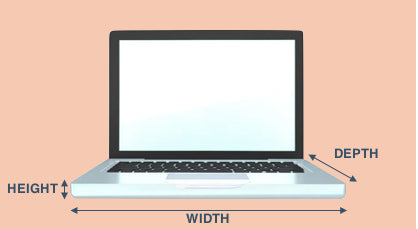
- For chassis size, measure width (left to right), depth (front to back), and thickness (closed).
Write down width x depth x height and the screen diagonal. That gives a full picture. This method answers how is a laptop size measured in both screen and physical terms.

Other size metrics explained: chassis, thickness, and weight
Screen diagonal is not the whole story. Buyers care about these extra numbers:
- Width and depth: The top view size. Important for fitting bags and desks.
- Thickness: Measured at the thickest point or listed as a tapered value.
- Weight: Usually in pounds or kilograms. Affects portability.
- Screen-to-body ratio: The visible display area divided by the lid area, shown as a percent.
Understanding these helps when you compare two laptops with the same screen diagonal. It clarifies how is a laptop size measured beyond just inches.

Aspect ratio, resolution, and perceived size
Screen diagonal is only one factor. These also change how big a laptop feels:
- Aspect ratio: Commonly 16:9, 16:10, or 3:2. Taller screens give more vertical space for work.
- Resolution and pixel density (PPI): A 13-inch 4K screen looks sharper than a 13-inch 1080p screen but does not change the physical size.
- Effective workspace: Higher resolution can mean more usable space for windows and apps.
When you ask how is a laptop size measured, include these terms mentally. They shape how you use the laptop daily.
Marketing practices and common measurement pitfalls
Manufacturers and retailers sometimes use fuzzy terms. Watch for these issues:
- "Class" sizing: Terms like 14-inch class can include screens slightly smaller or larger.
- Rounded numbers: Brands round diagonals to nearest inch for simple naming.
- Bezel changes: Thin bezels can make a device smaller while keeping the same diagonal.
- Naming vs. actual spec: A model called 15.6 may vary a little across revisions.
Knowing these pitfalls helps you judge claims and answers the user-focused question of how is a laptop size measured in real-world buying.
How size affects your choice: practical buying tips
Match laptop size to how you use it. Quick guidelines:
- 11–13 inch: Best for ultra-portability and travel. Great for light tasks.
- 14–15 inch: Balanced for work and portability. Good for most users.
- 16–17+ inch: Desktop replacement, for gaming or heavy creative work.
Also consider weight, battery life, and keyboard layout. These matter as much as the screen diagonal when deciding how is a laptop size measured for your needs.
Personal experience and lessons learned
I once recommended a 15.6-inch laptop to a client who commuted daily. They found the weight unbearable. Later, they switched to a 14-inch model with similar specs and saw a big comfort boost. That taught me to measure both diagonal and chassis before buying.
Tips from experience:
- Always test a laptop in person if possible.
- Measure your bag and desk to ensure fit.
- Don’t assume a bigger number means better for your workflow.
These real-world checks show why the simple answer to how is a laptop size measured is just the start of a smart decision.

Quick answers (PAA-style)
What is the difference between screen size and chassis size?
- Screen size is the diagonal of the active display. Chassis size is the physical width, depth, and thickness of the laptop.
Can I trust the listed screen size on a spec sheet?
- Yes for the diagonal measurement, but expect small variations in bezel and body size across models.
Does aspect ratio change the measured size?
- No. Aspect ratio changes the shape, not the diagonal measurement. It does affect usable vertical or horizontal space.
Frequently Asked Questions of how is a laptop size measured
How do manufacturers measure screen diagonal?
They measure the visible active area from one corner to the opposite corner and report that length in inches.
Is the bezel included in the screen size?
No. The bezel is not part of the screen diagonal. The measurement only covers the active display area.
What if the laptop is advertised in "class" sizes?
"Class" sizing is a marketing term. It groups similar sizes but may not match the exact diagonal for your model.
How can I convert inches to centimeters?
Multiply inches by 2.54 to get centimeters. Divide centimeters by 2.54 to get inches.
Does screen size affect battery life?
Screen size can affect battery life because larger screens often draw more power, though resolution and panel type also matter.
Should I measure my laptop before buying a bag?
Yes. Measure width, depth, and thickness and compare to the bag’s internal dimensions to ensure a good fit.
Are gaming laptops measured differently?
They use the same diagonal rule, but gaming laptops often have thicker bodies and larger vents that affect chassis size.
Conclusion
Knowing how is a laptop size measured helps you compare models and pick the best fit. Measure the screen diagonal for the official size, check chassis width/depth/thickness for real-world fit, and factor in aspect ratio and resolution for how the laptop feels. Take action: measure your bag and workspace, test laptops in person if you can, and use the steps here to pick a machine that fits your life. Share your experience below, subscribe for more gear guides, or leave a question so I can help you choose.