LG 27UP650K-W is the best monitor for MacBook Air — sharp 4K, accurate colors, and USB‑C convenience.
I love the MacBook Air for its light weight and sharp screen. Still, there are times when I need more space, better color, or a single‑cable desk setup. A good external monitor fixes cramped windows, gives accurate colors for photos, and can power your MacBook Air while you work. Whether you edit, code, or stream, the right monitor makes the laptop feel like a proper desktop without extra fuss.
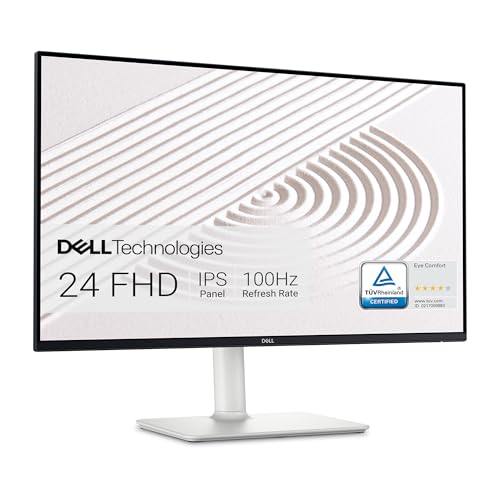
Dell S2425HS Monitor – 23.8…
Modern, lifestyle-inspired design with ultrathin bezels let you enjoy the stunning screen with less distraction. Enjoy impressive audio with the integrated dual 5W speakers with a wide dynamic range. Easy…

LG 27UP650K-W 27-inch Ultrafine 4K…
Stunning Image Quality in 4K Display – The 27-inch UHD 4K (3840 x 2160) IPS display reproduces clear images and vibrant colors with up to 95% DCI-P3 color gamut expression…
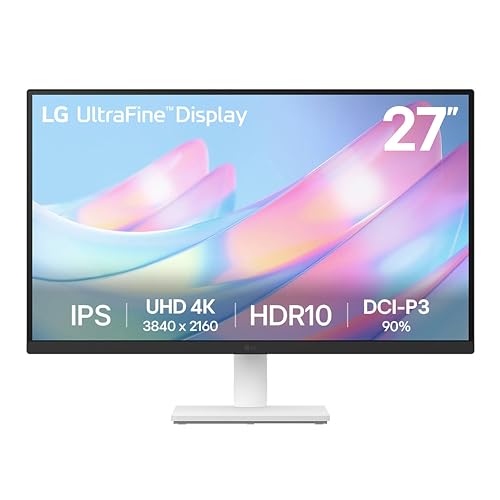
LG 27US500-W Ultrafine Monitor 27-Inch…
4K UHD with 1000:1 Contrast Ratio – This UltraFine display with a 1000:1 contrast ratio displays deeper blacks and vivid colors in UHD clarity. With wide viewing angles, it gives…
Dell S2425HS — 24″ FHD 100Hz

I bought the Dell S2425HS to add a second screen for day‑to‑day work. The 23.8″ FHD panel is crisp for text and web work. The 100Hz refresh rate feels smooth when I scroll or move windows. Integrated speakers save desk space and they get surprisingly loud for short conference calls.
Ergonomic tilt, swivel, pivot, and height adjustments make it easy to match the MacBook Air screen height. It has a clean ash white look that pairs well with Apple gear. For a simple setup that improves productivity, this monitor is a solid, budget‑friendly pick.
Pros:
- 100Hz smoothness for scrolling and UI motion
- Fully adjustable stand for ergonomic setups
- Built‑in 2x5W speakers for quick calls
- Good contrast and clear text at a desk distance
- Eye comfort certification reduces fatigue on long days
Cons:
- No USB‑C power delivery — you need a separate charger
- 1080p is not as sharp as 4K on large desks
- Limited color gamut for pro photo work
My Recommendation
I recommend the Dell S2425HS for MacBook Air owners who want a compact, responsive second screen without spending much. If you need a fast, smooth display for spreadsheets, browsing, and light photo edits, this works well. It is not the top choice if you want 4K or deep color for pro edits. For people who favor speed and ergonomic comfort, it is a dependable, budget pick.
| Best for | Why |
|---|---|
| Everyday productivity | Fast 100Hz makes work feel snappy |
| Small desks | Compact 23.8″ size fits tight spaces |
| Budget buyers | Good value with features like speakers |
LG 27UP650K — 27″ 4K IPS

I picked the LG 27UP650K as my daily work monitor for my MacBook Air. The 27″ 4K IPS panel looks sharp and gives plenty of room for apps and timelines. Colors are accurate enough for photo edits thanks to solid sRGB coverage. The slim white stand and matte bezel look great next to an Apple laptop.
This monitor supports DisplayHDR 400 and has Reader Mode for low blue light. It includes HDMI and DisplayPort. While it lacks a Thunderbolt port, it pairs beautifully with a USB‑C dock or adapter for modern MacBook Air models. For a one‑monitor upgrade that feels premium, this model hits a sweet spot.
Pros:
- True 4K resolution for sharp text and detailed images
- IPS panel with wide viewing angles and accurate color
- DisplayHDR 400 gives better contrast in HDR content
- Ergonomic stand with tilt, height, and pivot
- Reader Mode and Flicker Safe for long work sessions
Cons:
- No native Thunderbolt — you may need a dock for single‑cable
- 60Hz refresh rate may feel slow to some users
- Speakers are basic — use headphones for critical audio
My Recommendation
I consider the LG 27UP650K the best monitor for MacBook Air users who want a true 4K workspace without breaking the bank. I use it for photo edits, web design, and long writing sessions. The pixel density matches the MacBook Air’s clarity and gives me room for multiple apps. It is the best monitor for macbook air in my setup for color work and multitasking.
| Best for | Why |
|---|---|
| Creative pros on a budget | 4K and accurate color without pro price |
| Writers and editors | Large workspace for docs and tabs |
| Home office users | Comfort features for long hours |
LG 27US500 — 27″ 4K HDR IPS
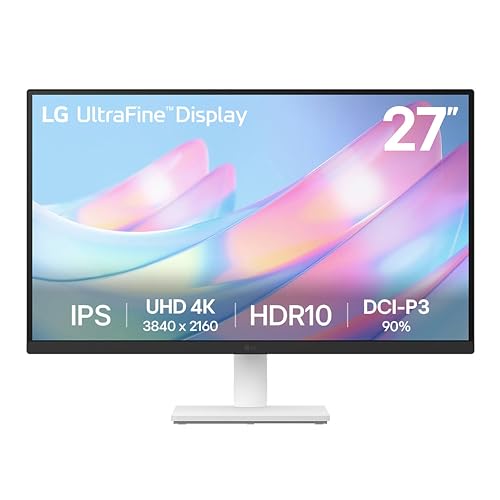
The LG 27US500 is another crisp 27″ 4K option I tested with my MacBook Air. HDR10 support makes movies look better when I stream. The borderless design gives a clean, modern desk look and works well in dual‑monitor setups. The IPS panel keeps colors stable across viewing angles.
It has HDMI and DisplayPort inputs and a user‑friendly on‑screen menu. I found Reader Mode helpful for long reading sessions. If you want a bright 4K screen for mixed use—work and media—this monitor gives great bang for the buck.
Pros:
- 4K clarity for multitasking and media
- HDR10 improves video playback contrast
- Borderless design for a clean desk feel
- Good ergonomics and easy setup with MacBook Air
- Reader Mode reduces eye strain over long sessions
Cons:
- Limited pro‑level color gamut for print work
- No USB‑C PD — needs separate power method
- Basic built‑in speakers
My Recommendation
I recommend the LG 27US500 for MacBook Air users who watch media and need a roomy 4K canvas. I use it when I edit video clips and also for spreadsheets. It is not the deepest color performer, but it balances media features and price. If you want a bright 4K experience without a pro price, this is a smart choice.
| Best for | Why |
|---|---|
| Media lovers | HDR10 and 4K for streaming and movies |
| Casual editors | Sufficient detail for video trimming |
| Dual monitor setups | Borderless bezels for seamless pairing |
Philips 241V8LB — 24″ FHD 100Hz

The Philips 241V8LB is a frameless 24″ monitor I used for a tidy work setup. It delivers great text clarity at 1080p and supports 100Hz for smoother motion. The eye care features like low blue light and flicker free make long tasks easier on my eyes. VESA support lets me mount it for an even cleaner desk.
It includes HDMI and VGA ports and a four‑year advance replacement warranty, which is rare and comforting. The compact size is perfect for small desks or a standing desk setup. If you want an affordable, reliable screen for email, docs, and casual browsing, this one is sensible.
Pros:
- 100Hz refresh gives smoother UI motion
- Frameless design fits multi‑monitor setups
- Eye care features reduce strain on long days
- VESA mount ready for flexible setups
- Strong warranty adds peace of mind
Cons:
- 1080p on 24″ is less dense than 4K options
- No USB‑C power delivery for MacBook Air
- Lower color gamut for color-critical work
My Recommendation
I suggest the Philips 241V8LB for MacBook Air users who want a clean, compact display with smooth motion and strong warranty support. I often use it for secondary screens and video calls. It is not a color‑critical 4K monitor, but it shines in everyday tasks. For those who want reliability and comfort on a budget, this is a good pick.
| Best for | Why |
|---|---|
| Secondary monitor | Compact and frameless for dual setups |
| Budget buyers | Good features and warranty for the price |
| Long work sessions | Eye care tech reduces fatigue |
Dell S3425DW — 34″ Curved USB‑C

The Dell S3425DW is a wide 34″ ultrawide I chose when I wanted a single large workspace for my MacBook Air. It has a 3440 x 1440 curved VA panel that feels immersive for timelines and spreadsheets. USB‑C connectivity simplifies my desk: one cable for video, data, and some power. The color coverage is strong for most creative tasks.
This monitor supports up to 120Hz and AMD FreeSync Premium for smoother motion. The 21:9 aspect ratio replaces dual monitors for many workflows. Its integrated speakers and strong contrast make it a great all‑in‑one for work and entertainment.
Pros:
- Immersive ultrawide screen equals two monitors in one
- USB‑C single‑cable convenience for modern MacBook Airs
- High refresh up to 120Hz for smooth UI and light gaming
- Wide color coverage (sRGB/95% DCI‑P3 claims) for creative work
- Integrated speakers keep the desk tidy
Cons:
- Large size needs a big desk and different viewing distance
- VA panel may have narrower viewing angles vs IPS
- Higher cost than basic monitors
My Recommendation
I consider the Dell S3425DW the best monitor for MacBook Air users who want a single, immersive workspace. I replace dual monitors with it for coding, video editing, and spreadsheets. The USB‑C connectivity simplifies my morning routine: one cable connects my MacBook Air and charges it. If you have desk space and want a full desktop feel, this ultrawide gives huge productivity gains.
| Best for | Why |
|---|---|
| Single‑monitor power users | Ultrawide space replaces dual displays |
| Multitaskers | Room for many apps without alt‑tabbing |
| Home office setups | USB‑C dock simplicity and strong colors |
FAQs Of best monitor for macbook air
Do I need USB‑C for my MacBook Air?
You don’t strictly need USB‑C, but it makes life easier. A USB‑C or Thunderbolt monitor can carry video, data, and power over one cable. That reduces clutter and can charge the MacBook Air while you work.
Is 4K worth it for a MacBook Air?
Yes, 4K is worth it if you want extra screen real estate and sharp text. At 27″ or larger, 4K gives crisp detail and room for multiple apps. For color work, 4K plus good color accuracy helps professionals.
What size monitor goes well with MacBook Air?
It depends on desk space and use. I like 27″ 4K for a balance of sharpness and space. Ultrawide 34″ works if you want one big workspace. For tight desks, 24″ or 25″ monitors are a good match.
Will an external monitor slow my MacBook Air?
No. Modern MacBook Air models handle external displays well. Performance impact is minimal for office work. For heavy 4K video playback or gaming, a discrete GPU helps, but for most users the MacBook Air is fine.
How do I connect a MacBook Air to these monitors?
Use a USB‑C/Thunderbolt cable if the monitor supports it. Otherwise, use a USB‑C to HDMI or DisplayPort adapter or a hub. Make sure you pick a cable that supports the monitor resolution and refresh rate.
Final Verdict: Which Should You Buy?
If you want my short take, the LG 27UP650K is the best monitor for MacBook Air for most users. It balances 4K clarity, color, and value while fitting well into a modern USB‑C workflow.
Choose the Dell S3425DW if you need an immersive ultrawide. Pick Dell S2425HS or Philips 241V8LB for budget‑conscious users, and LG 27US500 for media lovers. Each option improves the MacBook Air experience.