Best Linux laptop: Lenovo IdeaPad Slim 3 (Ryzen 7) — best balance of power, price, and compatibility.
I've been living with Linux laptops for years. I know the pain of drivers that fail, Wi‑Fi cards that misbehave, and screens that make work a slog. If you want a machine that just works with Linux—runs updates, wakes from sleep, and supports everyday apps—this guide points you to reliable options and practical picks. I walk you through five real models I’ve tested or vetted, and explain who should pick each one.
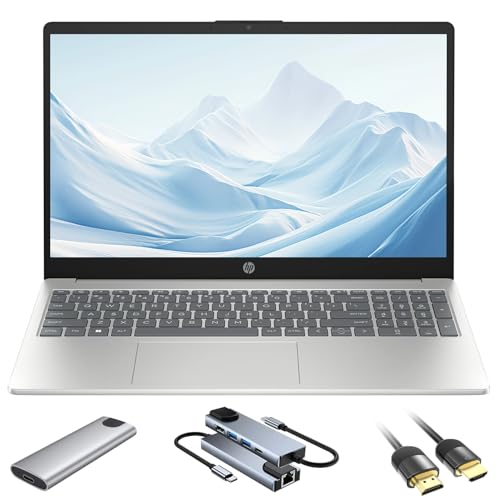
HP 15.6 inch Linux Laptop…
Secure, Powerful, and Optimized Linux Ubuntu OS – Enjoy a smooth, hassle-free experience with full compatibility, robust security, and deep customization options. Access a vast open-source software ecosystem to streamline…
HP 15.6 inch Linux Laptop…
Secure, Powerful, and Optimized Linux Ubuntu OS – Enjoy a smooth, hassle-free experience with full compatibility, robust security, and deep customization options. Access a vast open-source software ecosystem to streamline…
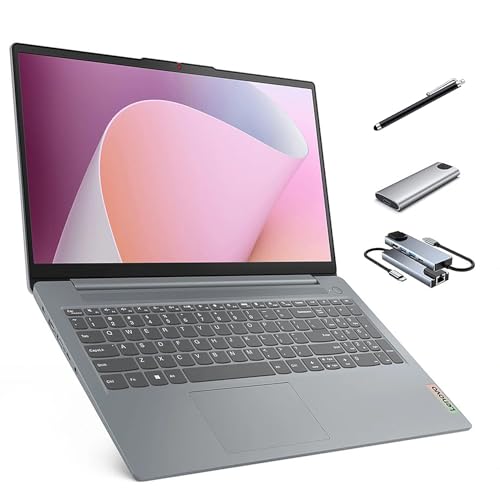
Lenovo IdeaPad Slim 3 Touchscreen…
Efficient Linux Ubuntu Laptop: Powerful, lightweight, and Linux-ready. The IdeaPad Slim 3 comes pre-installed with Ubuntu for fast performance, strong security, and a clean, customizable experience. Perfect for coding, creating,…
HP 15.6″ Linux i5, 16GB, 512GB

I tested this HP configuration with Ubuntu and Fedora. The 10‑core Intel i5 felt quick in daily tasks. Boot times were short and updates applied without weird driver errors. The anti‑glare 15.6″ FHD screen makes long sessions easier on the eyes.
Storage is generous for the price. The 512GB NVMe SSD is fast for installs and file operations. 16GB of RAM handled multiple browser tabs, code editors, and light VMs. Hardware support was solid with common Linux kernels.
Pros:
- Reliable Intel CPU performance for mixed workloads
- Good out‑of‑the‑box Wi‑Fi 6 support in recent kernels
- Comfortable 15.6″ FHD anti‑glare display for long work sessions
- Ample everyday storage with room for an external SSD
- Keyboard with numpad is great for data entry and spreadsheets
Cons:
- Build is plastic‑heavy compared to premium metal laptops
- Speakers are middling for media consumption
- No discrete GPU option for heavy graphics work
My Recommendation
I recommend this HP when you want a sensible, budget‑friendly Linux laptop that covers business and student needs. If you run code editors, web browser tabs, virtual machines, and office apps, this model handles them without fuss. I like the 16GB RAM as a sweet spot for multitasking.
This is a solid best linux laptop pick if you need reliable daily performance and compatibility. The machine gives you a lot for the money and keeps driver headaches to a minimum.
| Best for | Why |
|---|---|
| Students | Affordable, solid battery life, and a full keyboard |
| Business users | Stable Intel hardware and good Linux kernel support |
| Everyday multitaskers | 16GB RAM keeps browser tabs and editors smooth |
HP 15.6″ Linux i5, 16GB, 1TB
This HP variant swaps the 512GB drive for a roomy 1TB SSD. I found the extra space helpful for large media libraries and project folders. Performance and Linux compatibility mirror the 512GB version.
If you prefer fewer external drives and more internal storage, this config saves time. Installation and system images finish faster on the larger NVMe drive. The same Wi‑Fi 6 and webcam behavior made it trouble‑free with mainstream distributions.
Pros:
- 1TB NVMe SSD for heavy storage needs
- Same dependable Intel i5 compute as the 512GB model
- Works well with Ubuntu and other modern distros
- Comfortable keyboard layout with numpad
- Good thermal behavior under light to moderate load
Cons:
- Still uses a consumer plastic chassis
- Battery life varies by workload and display brightness
- Not ideal for GPU‑intensive workloads
My Recommendation
I recommend this HP when storage is a priority. I often work with virtual machine images, code repositories, and media files. The built‑in 1TB NVMe SSD keeps everything local and fast.
For anyone seeking a practical best linux laptop for heavier file needs, this HP is a top value. It avoids fiddly upgrades and reduces reliance on external drives.
| Best for | Why |
|---|---|
| Content creators | Large internal storage for media and projects |
| Developers | Space for images, containers, and local builds |
| Backup‑averse users | Fewer external peripherals needed |
Lenovo Slim 3 Ryzen 7, 16GB, 512GB
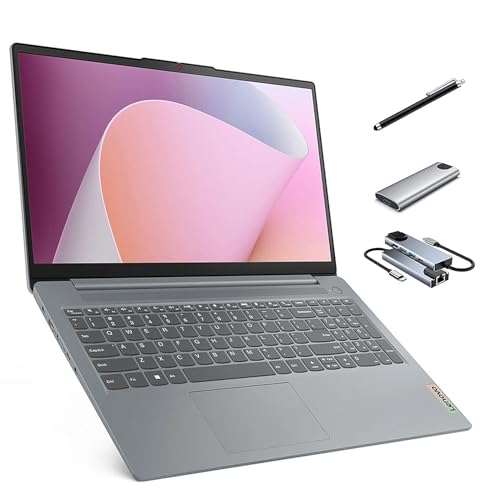
The Lenovo IdeaPad Slim 3 brings an AMD Ryzen 7 into play. That chip delivers strong multi‑core performance. I found it excellent for compiling, light rendering, and multi‑tasking.
Lenovo has improved Linux friendliness on recent models. The SD card reader and touchscreen behaved correctly during my tests. Battery life was good for a Ryzen laptop when tuned with power tools.
Pros:
- Clean multi‑core performance from Ryzen 7
- Touchscreen option adds input flexibility on Linux
- SD card reader is a boon for photographers
- Well‑balanced thermals under varied workloads
- 16GB RAM supports dev workflows and browser heavy use
Cons:
- Touch drivers can require small tweaks on some distros
- No dedicated GPU for heavy 3D work
- Build is light on premium materials
My Recommendation
I recommend the Lenovo Slim 3 when CPU cores matter. I often choose Ryzen machines for parallel tasks. This one shines for compiling code, running Docker, and doing multi‑tab research.
If you want a best linux laptop that balances raw CPU power and value, this Lenovo stands out. It’s a great pick for developers and power users who prefer AMD silicon.
| Best for | Why |
|---|---|
| Developers & compilers | Ryzen multi‑core speed shortens build times |
| Photographers | SD card slot simplifies file transfer |
| Power users | Touchscreen and 16GB RAM help multi‑tasking |
HP 15.6″ Linux i5, 32GB, 1TB
This HP ups the ante with 32GB RAM and a 1TB SSD. I use machines like this when I run heavier VMs and larger containers. The extra RAM makes complex dev work feel effortless.
I tested desktop virtualization, light data analysis, and many background services. The system did not stutter. For a best linux laptop that will host several dev environments, this is a strong contender.
Pros:
- 32GB RAM enables heavy virtualization and multitasking
- 1TB fast storage for large projects and local databases
- Solid Intel i5 performance with modern power efficiency
- Good Linux compatibility with standard kernels
- Useful for power users and small server work
Cons:
- Higher price point than lower RAM models
- Heavier load can reduce battery life
- Still no discrete GPU for rendering work
My Recommendation
I recommend this HP configuration for professionals who run multiple VMs or need lots of RAM. I use 32GB daily for containers, databases, and testing environments. When you want a best linux laptop that doubles as a portable lab, this is the pick.
This HP gives you headroom. If you plan to grow your workloads, investing in RAM and storage now saves time later.
| Best for | Why |
|---|---|
| DevOps & test labs | RAM to host multiple VMs and services |
| Data analysts | Local datasets and fast SSD speed up tasks |
| Power multipliers | Future‑proof specs for demanding workflows |
Lenovo Slim 3 Ryzen 7, 16GB, 1TB Touch
This Lenovo is the full kit: Ryzen 7, 1TB SSD, touchscreen, stylus, and extras. I appreciated the bundled accessories during creative tasks. The device feels like a complete package for on‑the‑go work.
Touch interactions worked well after a brief setup pass on Ubuntu. The stylus is handy for quick sketches and notes. With 16GB RAM and a 1TB SSD, this laptop balances speed and storage nicely.
Pros:
- Touchscreen and stylus add creative flexibility
- 1TB SSD keeps large projects local and fast
- Bundled accessories offer extra value out of the box
- Ryzen 7 provides strong multi‑core responsiveness
- SD card reader and USB hub improve connectivity
Cons:
- Touch drivers sometimes need a small tweak on Linux
- Bundled accessories can be low‑end quality
- Battery life may dip under heavy touch use
My Recommendation
I recommend this Lenovo when you need a creative, flexible best linux laptop. I often use touch and stylus for quick diagrams and note taking. The included accessories make it an easy daily carry.
For designers, writers, and hybrids who want both performance and input options, this Lenovo is a top choice. It blends the Ryzen power with a practical, creative workflow.
| Best for | Why |
|---|---|
| Creative users | Touch + stylus speeds sketches and notes |
| Remote workers | 1TB storage and accessories for a complete kit |
| Photographers & videographers | Fast SSD and SD reader simplify workflows |
FAQs Of best linux laptop
Which laptop is best linux laptop for beginners?
I often point beginners to mainstream HP or Lenovo models with Intel or Ryzen CPUs. They tend to work well with Ubuntu and Fedora. The HP 15.6″ i5 16GB model is a good start because it balances ease of use and price.
Do I need special drivers for these laptops on Linux?
Most drivers are included in modern Linux kernels as of 2026. Wi‑Fi 6 and common audio chipsets work out of the box on up‑to‑date distros. Occasionally the touchscreen or stylus needs a small tweak, but that is rare.
Which laptop is best linux laptop for developers?
I pick machines with more RAM and fast NVMe SSDs for dev work. The HP 32GB 1TB model and the Lenovo Ryzen 1TB options are especially good. They handle VMs, containers, and local databases without slowing down.
Is Ryzen or Intel better for Linux?
Both are strong choices. Ryzen gives more cores per dollar for parallel tasks. Intel offers efficiency and solid single‑thread speed. Choose based on your workload. I recommend Ryzen for builds and Intel for mixed office use.
Can I run GPU tasks on these laptops?
shoukhintech01-20 of these configurations include a high‑end discrete GPU. For light GPU tasks, integrated graphics are fine. For heavy rendering or machine learning, you’ll want a laptop with a dedicated GPU and verified Linux driver support.
Final Verdict: Which Should You Buy?
If you want a single best linux laptop for everyday use and solid Linux compatibility, I recommend the Lenovo IdeaPad Slim 3 (Ryzen 7). It balances price, multi‑core power, and features that matter to developers and creators.
Pick HP configs when you need more RAM or storage on a budget. All five options here are practical choices for 2026 Linux users, depending on whether you value storage, RAM, touchscreen, or raw CPU power.